
Nobody knows what was said
To find out where a customer stands, you have to ask whoever handles them.
A CRM for SMEs that brings everything that happens with each customer into a single history, tells you what is due today and why, and uses AI to summarise calls and draft emails without ever sending anything on its own. In the language, currency and rules of each country.
Updated on 28 October 2026.
If it sits between email, phones, a spreadsheet and each salesperson's head, a CRM that brings it together saves time and stops customers slipping away.
To find out where a customer stands, you have to ask whoever handles them.
A proposal goes unanswered because nobody noted when to call back.
Different languages, currencies and tax details that a CRM built for a single country does not handle.
You have one, but logging things is so tedious that the team goes back to the spreadsheet.
We set it up with you —pipelines, fields, permissions and whatever you bring over— and connect it to the tools you already use.
See the CRM insideWhat your sales team uses every day and what you review every week.
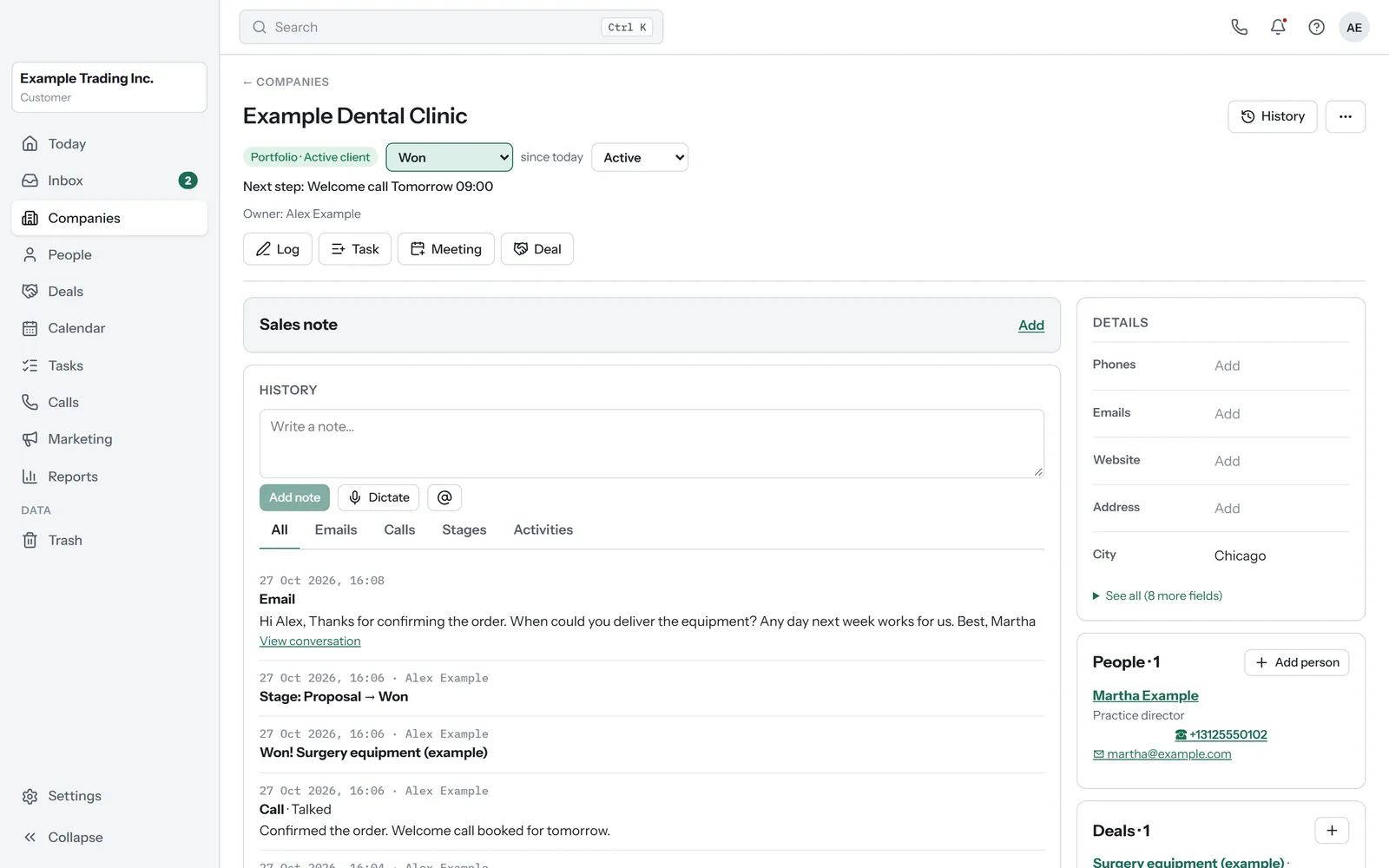
Emails, calls, notes, tasks, meetings and deals in a single history for each company and person. Whoever takes over an account knows what was said without having to ask.
When you log in you see what is due today and why: a proposal about to expire, a reply waiting or a customer with nothing planned. Every account always has a next step.
Connect Gmail or Microsoft 365: emails land in the record and you reply from the inbox, with templates and scheduled sending.
Call from the record, on your computer or your phone. The call is transcribed and summarised, and what matters stays in the record.
It summarises, drafts and improves emails and answers questions about a customer, saying where each answer comes from. It never sends anything without you.
In English and Spanish, with the currency on every amount and the tax IDs of Spain and the EU, so you can sell in several countries from the same account.
Import from Excel or from your current CRM, with undo. A 90-day bin, role-based permissions and a full export whenever you want.
WhatsApp conversations in the same record and AI voice agents for follow-ups, planned for later.
Many SMEs today split their work across separate programs: one for sales, another for calls, email and several spreadsheets. This CRM brings it together in each customer's record.
What it does today, adapted to each company. The standard version is in development.
| Topic | With separate tools | With this CRM |
|---|---|---|
| Sales, email and calls | In different programs, each with its own login and its own bill. | In the same record, with a single login. |
| What has happened with a customer | You have to check each program. | A single history with emails, calls, notes and tasks. |
| A call | It stays in the calling program, apart from the customer's record. | It lands in the record with its transcript, its summary and a suggested next step. |
| Language, currency and tax details | Depending on what each program supports. | In English or Spanish, with the currency of each amount and the tax IDs of Spain and the EU. |
| When you leave | It depends on each program. | You export everything, with its relationships, as CSV and JSON. |
The daily screen on your phone and your computer, and calls with their summary.
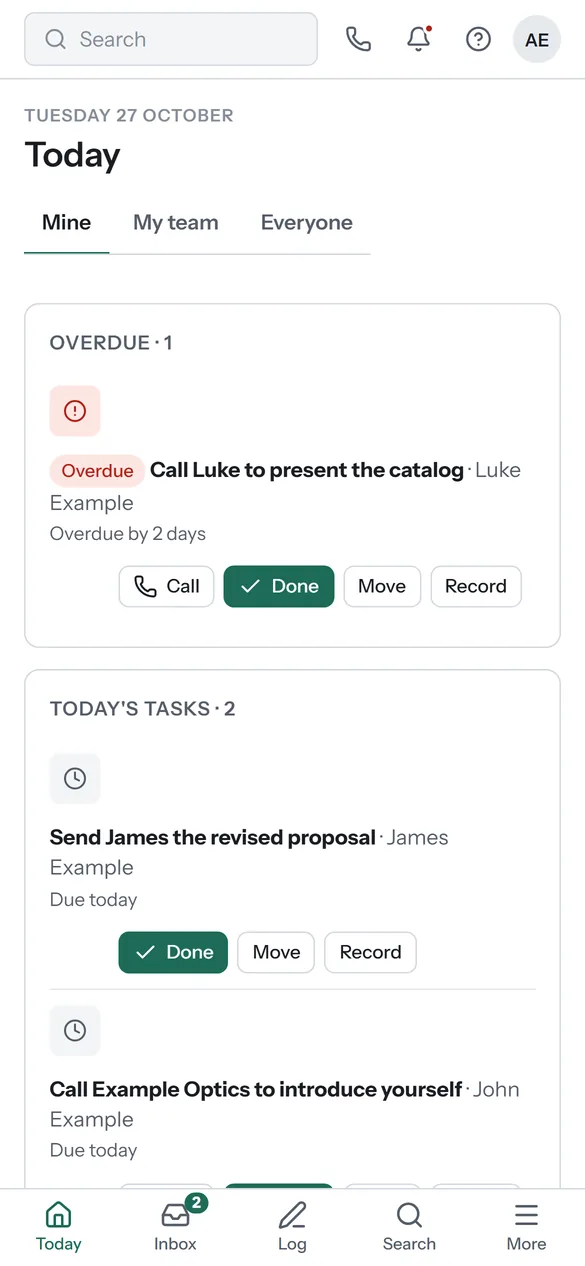
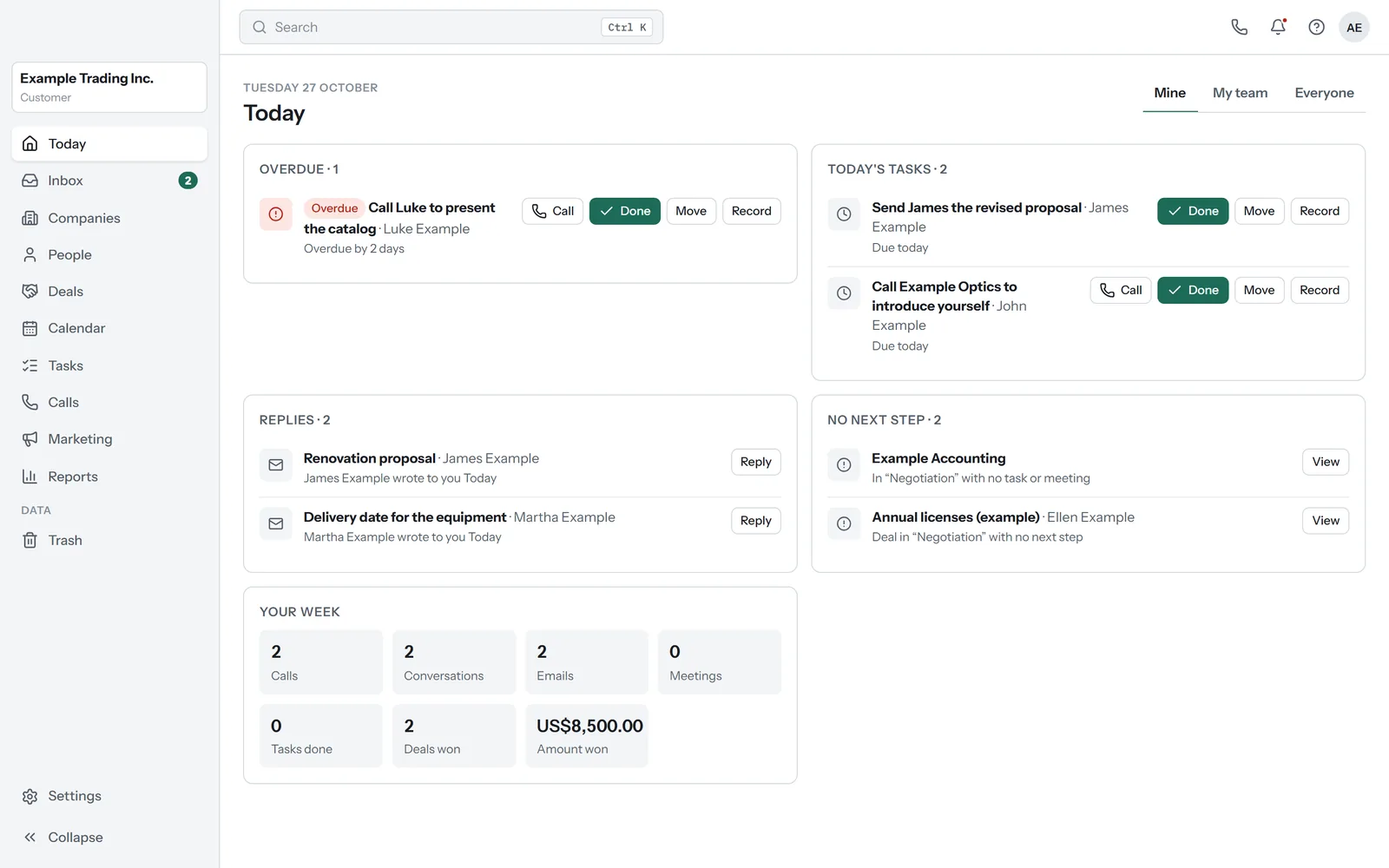
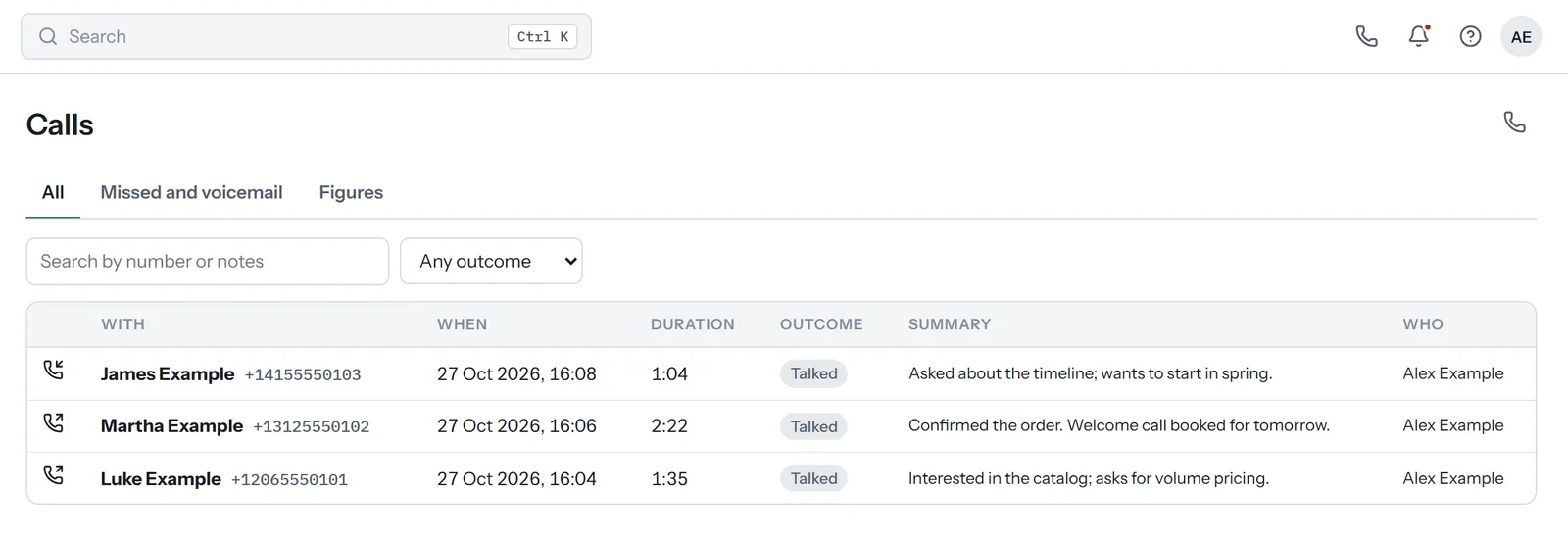
All screenshots are from a demo account, with fictional companies and people. No client data. The name and colours are adapted to each company.
Whether you can use it, what it brings, the AI and your data, straight answers.
Yes. It runs today at client companies, adapted to how each one works: we set it up with you. The standard version, ready to use without adapting, is in development.
Companies, people and deals with a single history, the Today screen, email from Gmail or Microsoft 365, calls from the record with transcription and summary, calendar, reports, import and export, and role-based permissions. It also works on your phone.
It comes later, through the official WhatsApp API: conversations in the inbox and in the record, and the cost of each template explained before you send it.
It summarises calls and records, drafts and improves emails and answers questions about a customer, saying where each piece of information comes from. It never sends anything on its own: you always approve it.
Yes. You import from Excel or from your current CRM, with a report beforehand on what will come in and the option to undo. And you can export everything, with its relationships, whenever you want.
It depends on what needs adapting for your company. We give you a fixed price in the proposal, before we start.