
Several companies or sites
Each with its own staff, calendar and holidays, and you need to see them together.
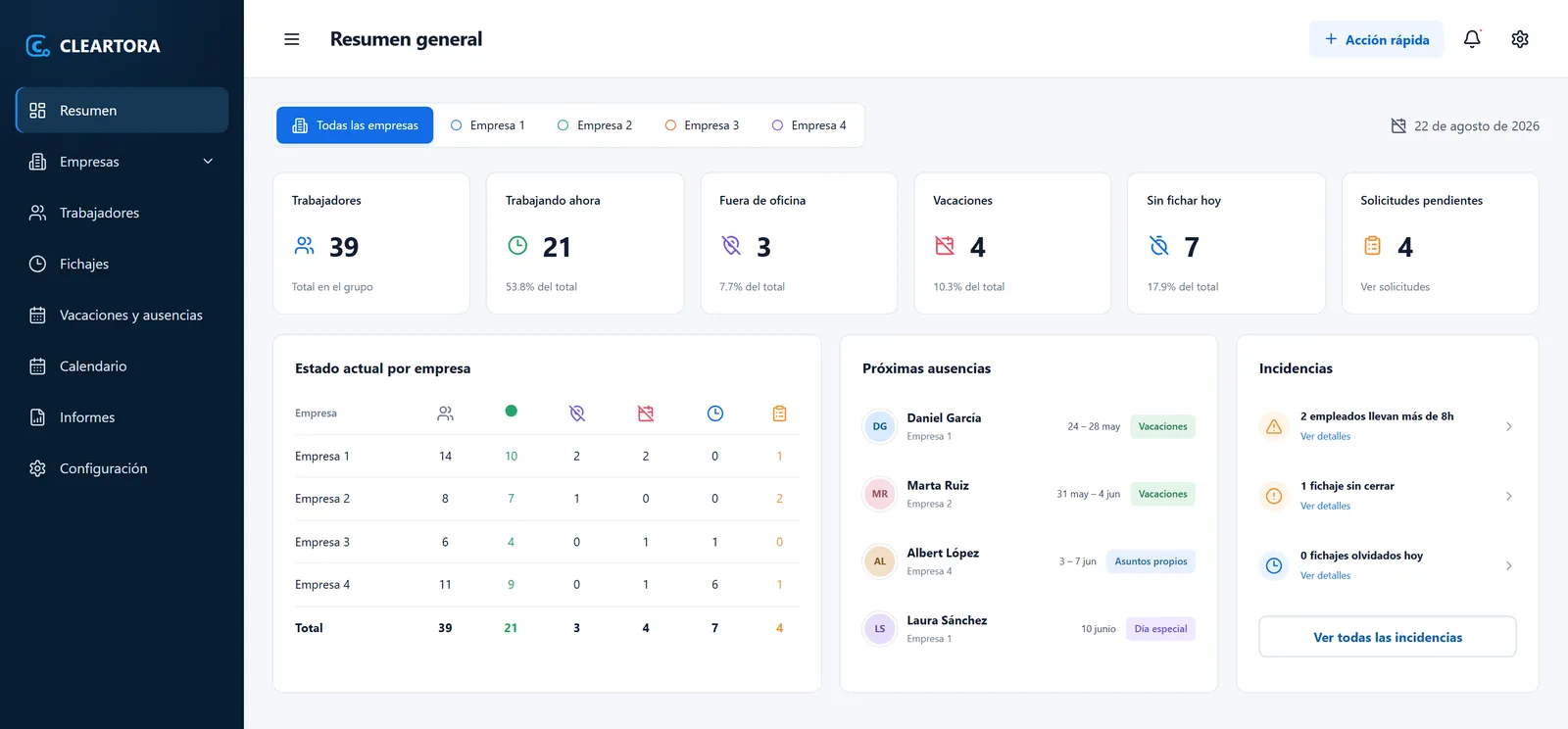
Time tracking software for businesses with several companies or sites. Your team clocks in from their phone, and you see working hours, leave and incidents for all of them in the same panel, ready to connect to your payroll software and your ERP.
Checked on 27 October 2026.
If you run several companies or sites, or if hours end up in payroll and in the ERP, recording working time stops being a formality and becomes part of how the business runs.
Each with its own staff, calendar and holidays, and you need to see them together.
Someone copies them by hand every month, and a mistake shows up in someone's pay.
Balances live in a spreadsheet or in email, and nobody knows how many days are left.
Incidents need to surface the same day, not when reviewing at the end of the month.
We set it up with you —companies, schedules, absence types and permissions— and connect it to what you already use.
See the software insideWhat your team uses every day and what you review every month.
Each company or site has its own staff, calendar and schedule, and you see them together or one by one without switching accounts. One company's data never mixes with another's.
Start, finish and breaks in one tap. Location is saved only when clocking in or out: there is no tracking during the day.
Each person requests their days from the phone and their manager approves them. Balances update on their own and every adjustment is logged.
A missing clock-out or an overly long day shows up as an incident, to be reviewed and corrected with a reason.
Expected and worked hours by person, company and period, ready to export to CSV or Excel.
It exports to CSV and Excel from day one, and we connect it to your payroll software or your ERP so nobody copies hours by hand. Connecting the tools you already use is what we do every day.
Each person sees only what their role needs. Every correction to a clock-in or a balance leaves a trace.
What your team sees on the phone and what you see in the panel.
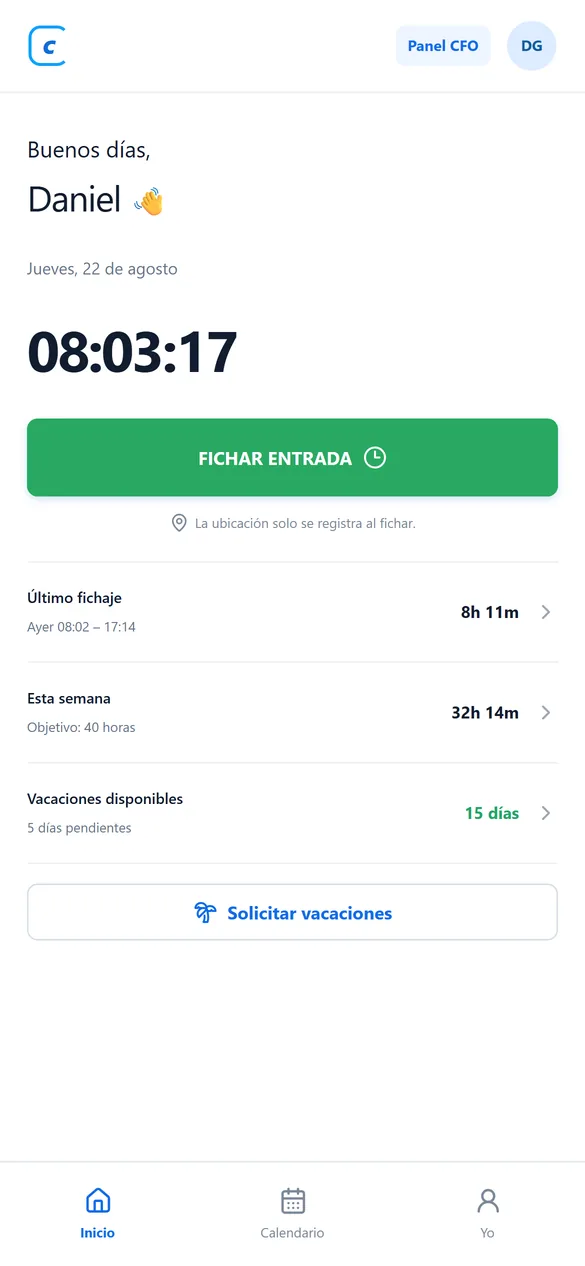
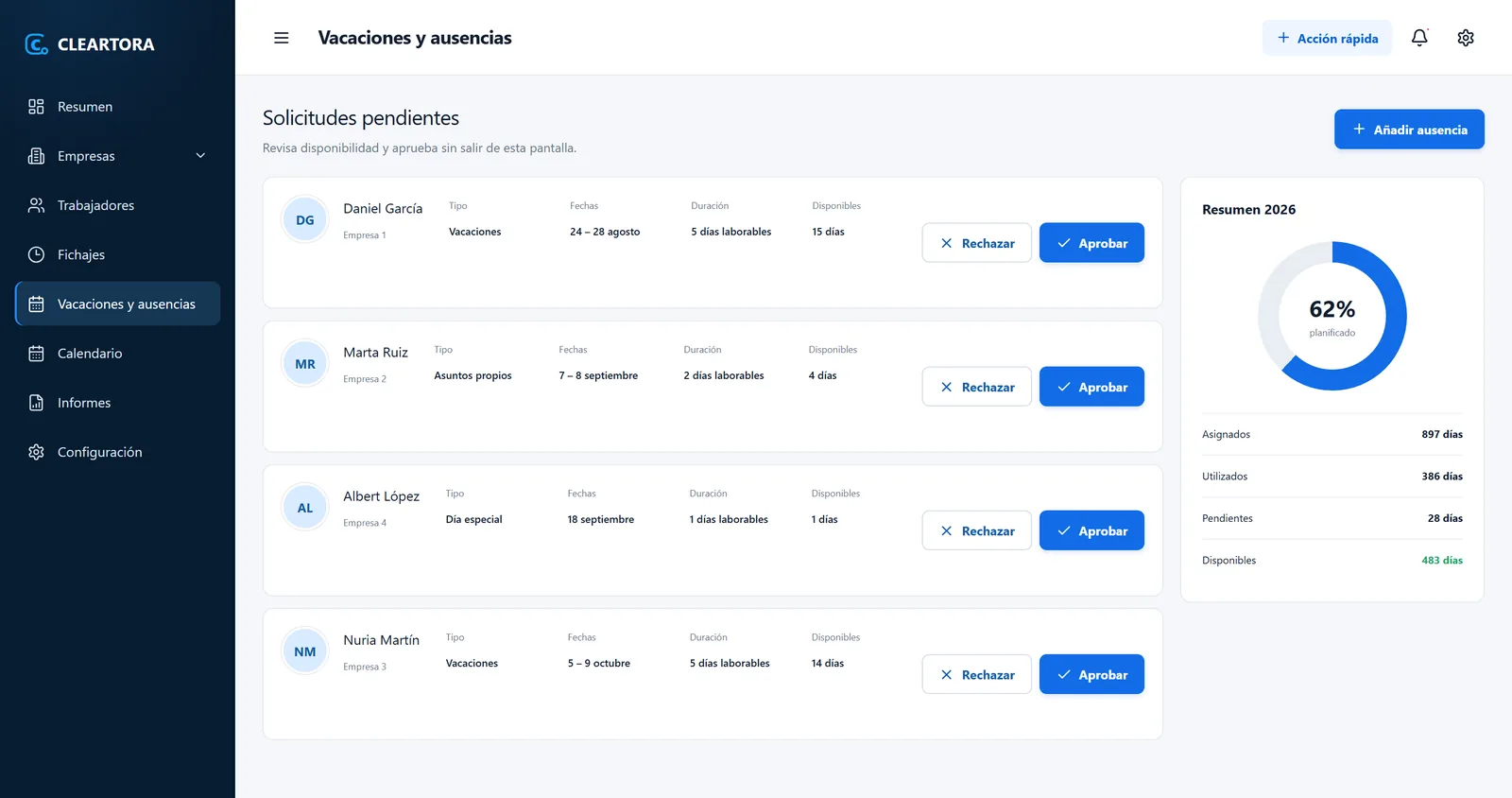
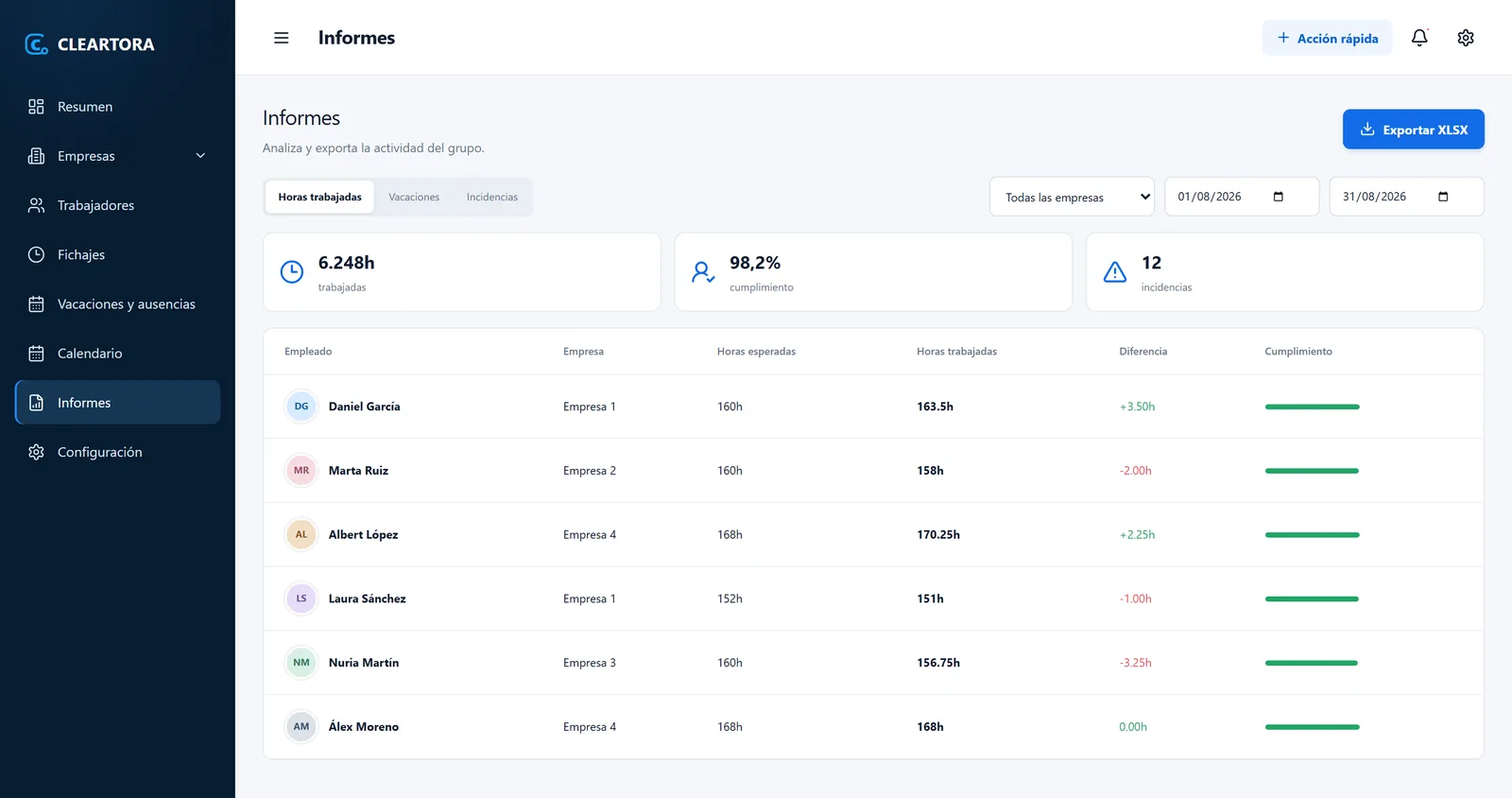
All screenshots use demo data: four sample companies and fictional people. The interface is currently in Spanish. No client data.
The rules in Spain, language, location, multiple companies and price, straight answers.
In Spain, recording working hours has been mandatory since 2019 (Article 34.9 of the Workers' Statute). The royal decree that would make digital recording mandatory has not yet been approved or published in the BOE, the official gazette (checked on 27 October 2026). When it is published, we will update this answer.
The exact start and end time of each person's working day, every day. The company must keep those records for four years and make them available to employees, their representatives and the Labour Inspectorate.
Not yet: the interface is currently in Spanish. If your team works in another language, tell us when we talk.
No. Location is requested only at the moment of clocking in, clocking out or starting a break, and the person sees it on screen. There is no tracking during the day.
Yes, that is what it is built for. Each company has its own staff, calendar and permissions, and from the same panel you see them all together or one by one. One company's data never mixes with another's.
It exports to CSV and Excel from day one. If you want hours to reach your payroll software or your ERP on their own, we connect it as part of the rollout.
It depends on how many people and companies use it and which software it needs to connect to. We don't publish a rate: we give you a fixed price in the proposal, once we understand how you work.